Your WordPress site used to feel simple. Now every plugin update feels like a gamble, your speed scores keep sliding, and the monthly invoice for “WordPress maintenance” has quietly grown past what the site is actually worth to your business. If you’re asking whether it’s time to move off WordPress, you’re not overreacting; you’re paying attention to the right signals.
Learn About: How to Plan a Website Rebuild
This guide covers the concrete signs that WordPress has stopped serving your business, what a migration actually costs in time and money, and which platforms make sense depending on what you’re building next. You’ll also get an honest answer on when staying put is the smarter call. None of this is theoretical it’s drawn from migrations we’ve scoped and run for online stores, SaaS marketing sites, and content publishers who hit the same wall you might be facing right now.
Quick Answer: When Should You Move Off WordPress?
Move off WordPress when its upkeep starts working against your growth typically once you’re running 20 or more plugins, paying more for developer patching than for hosting, or losing rankings to Core Web Vitals problems the platform’s architecture can’t fully solve. If your site is simple, fast, and low-maintenance, WordPress is still a reasonable choice.
Not sure which category your site falls into?
I audit WordPress sites for exactly this kind of decision. I’m happy to take a quick look at yours.
9 Signs It’s Time to Move Off WordPress
These are the patterns that show up again and again once a WordPress site has outgrown the platform. You don’t need all nine to justify a move two or three consistent ones are usually enough.
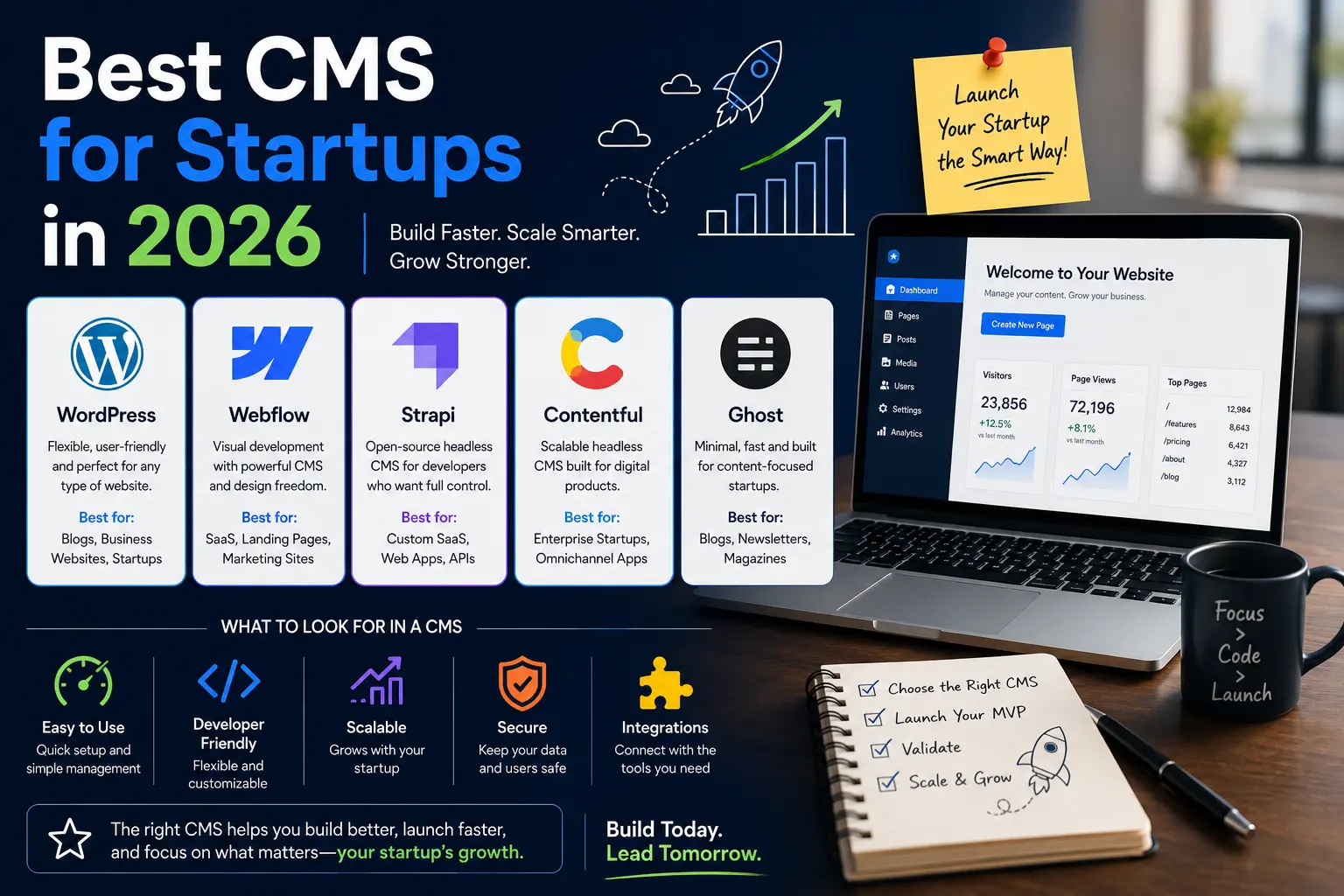
Learn About: Best CMS for Startups in 2026
1. Your Site Is Slow No Matter What You Optimize
You’ve installed a caching plugin, compressed every image, and switched to a “lightweight” theme, and your load time still hovers above three seconds. That’s not bad luck it’s structural. The average WordPress page now loads in about 3.4 seconds, well past the 2.5-second threshold Google treats as good for Core Web Vitals, while headless setups built on frameworks like Next.js average closer to 0.8 seconds.
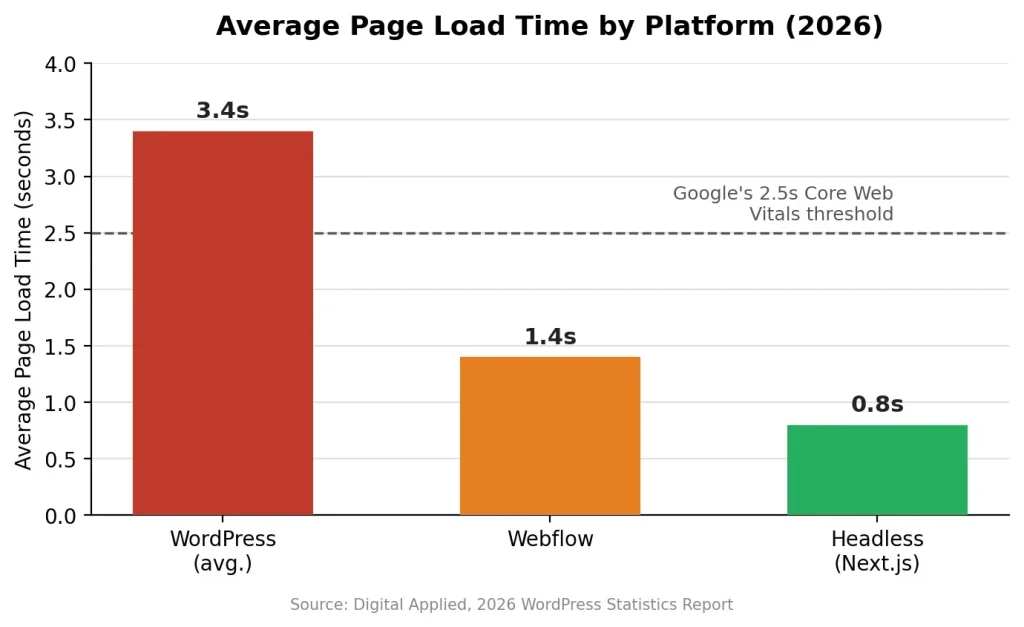
Every plugin, widget, and page-builder layer adds its own script, and there’s a real ceiling to how much that stack can be trimmed. If you’ve already tried the standard fixes in our Core Web Vitals guide and you’re still stuck above 2.5 seconds, the bottleneck is architectural, not a settings problem.
2. Plugin Vulnerabilities Keep You Up at Night
Security researchers logged over 11,000 new WordPress vulnerabilities in 2025, and 91% of them lived in plugins, not WordPress core. Nearly half had no available patch when they were publicly disclosed, and the median time between disclosure and the first exploitation attempt was around five hours.
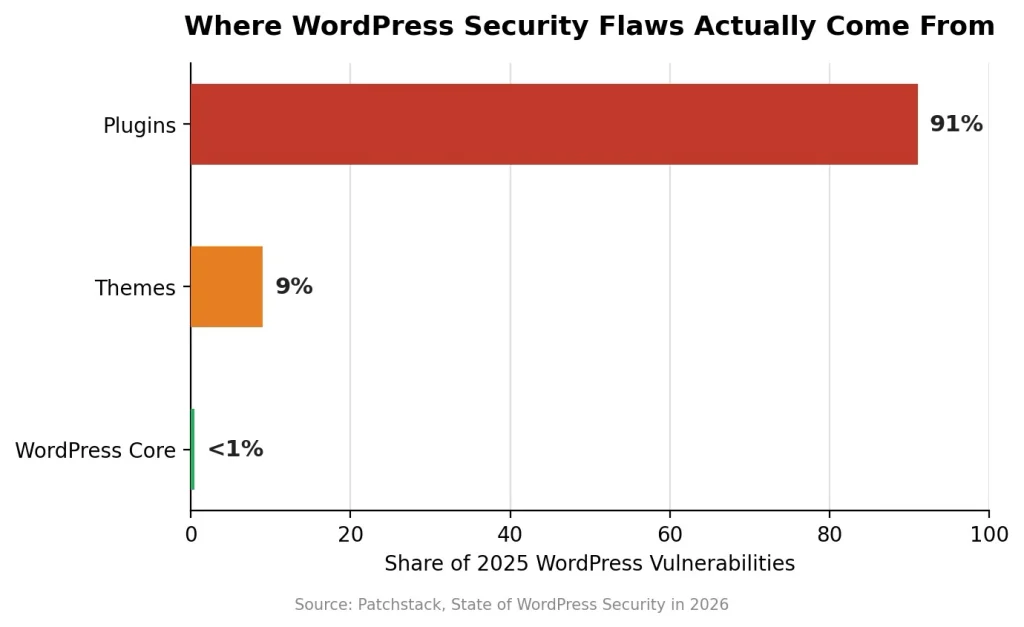
That means “keep your plugins updated” isn’t a complete defense anymore by the time you patch, attackers may already have tried. If your site handles customer data, payments, or client logins, and you’re relying on a 30-plugin stack to hold the line, that risk calculus is worth revisiting. Our WordPress security checklist covers practical mitigations, but at some point fewer moving parts beats more patching.
3. You’re Paying More to Maintain It Than It’s Worth
Add up your premium plugin subscriptions, managed hosting, a security service, and a developer retainer for the plugin conflicts nobody else can untangle, and a lot of “free, open-source” WordPress sites end up costing more per month than a hosted Webflow or Shopify plan that already includes hosting, security, and uptime. If your maintenance line item has grown three years running while the site itself hasn’t changed much, the platform is now working against your budget instead of for it.
Learn About: Build AI-powered website in 1 day using GitHub and Vercel
4. Your Content Team Keeps Fighting the Editor
Page builders like Elementor make WordPress approachable at first, but they also create long-term lock-in content built in one builder rarely transfers cleanly to another, and editors often need a developer just to add a new section. If your marketing team routinely waits on a developer for changes that should take five minutes, the editing experience is now costing more than it’s saving.
5. You Need Ecommerce Performance WordPress Wasn’t Built to Give You
WooCommerce still runs more individual stores than any other platform, but Shopify has pulled ahead among the most-visited stores because it handles checkout, inventory, and traffic spikes as a managed service rather than a plugin. If you’re seeing cart abandonment during traffic surges, struggling to keep checkout PCI-compliant on your own, or adding yet another plugin just to handle inventory sync, your store has outgrown a self-managed cart.
Learn About: Headless CMS for Ecommerce
6. You’re Building Something WordPress Wasn’t Designed For
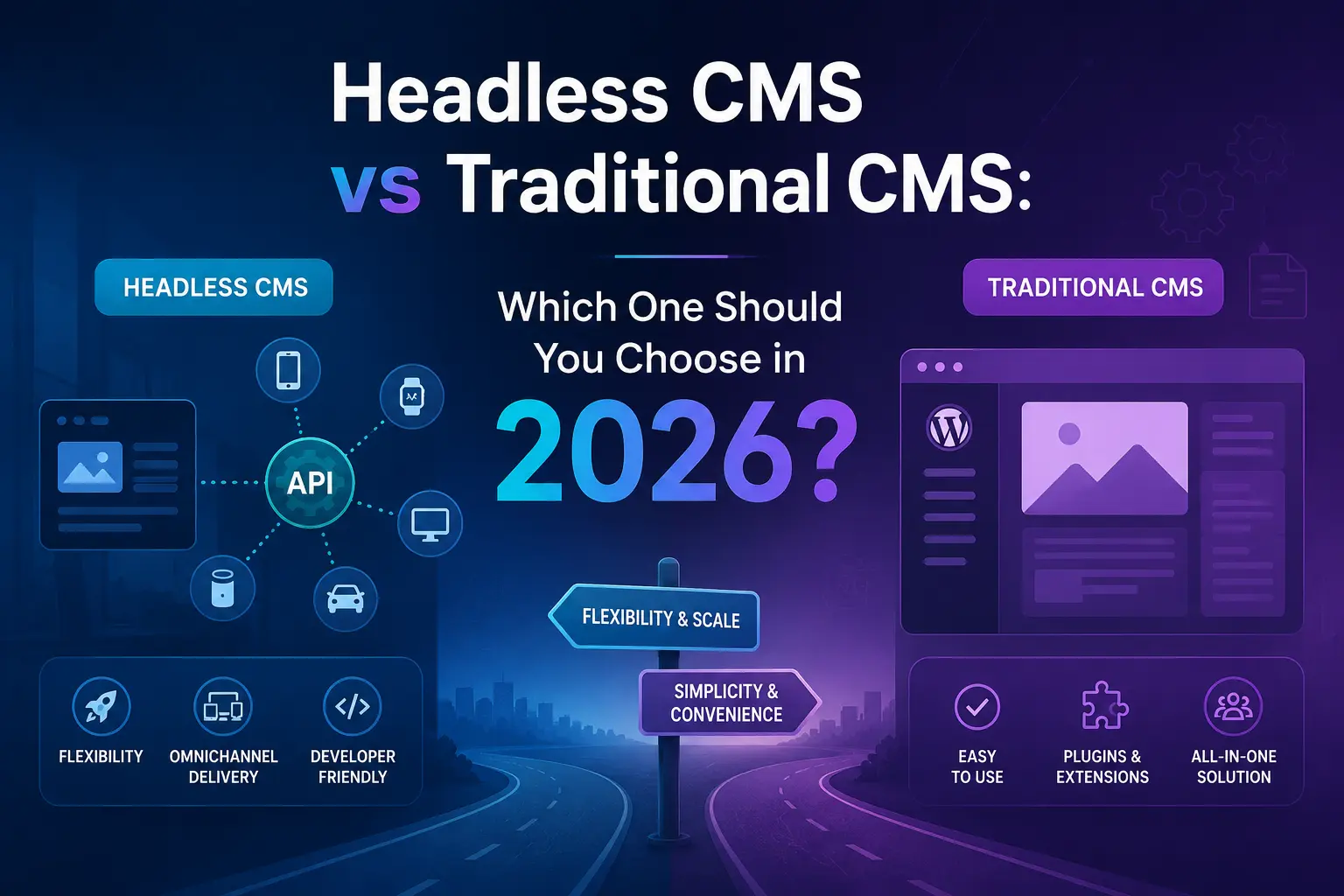
Membership portals, complex dashboards, or multi-channel content that needs to feed a website, an app, and a kiosk from one source can all be forced into WordPress with enough plugins but “forced” is the operative word. If your roadmap looks closer to a web application than a content site, a headless CMS or a proper application framework will save you years of working around WordPress’s content-first design.
7. Search and AI Visibility Are Suffering From Technical Debt
Multiple SEO plugins fighting over the same schema markup, render-blocking scripts, and inconsistent heading structures all chip away at how cleanly Google and AI systems like ChatGPT, Perplexity, and Google’s AI Overviews can read and cite your content. These systems favor fast, well-structured, unambiguous HTML. A WordPress site loaded with conflicting plugins can actively work against that, no matter how good the writing is.
Learn About: How to Build a Website That Converts Visitors Into Customers
8. Every Redesign Turns Into a Compatibility Puzzle
If your last two redesigns broke something because of a theme or plugin conflict, that’s not bad timing it’s a pattern. The bigger a plugin stack gets, the more fragile every future change becomes, until redesigns start costing more in QA and firefighting than in actual design work.
9. You’ve Outgrown “Set It and Forget It”
WordPress markets itself as low-maintenance, but a site handling real traffic and real revenue needs someone actively watching updates, backups, and security which is a job, not a one-time setup. If you’ve hired, or are about to hire, someone purely to keep WordPress running, it’s worth comparing that ongoing cost against a platform that folds more of that work into the hosting itself.
WordPress vs the Alternatives: Which Platform Fits Your Next Stage
There’s no single “best” replacement the right platform depends on what you’re building. For a deeper breakdown of how to weigh these against your specific goals, see our guide on how to choose the right website platform. Here’s how the main options compare for a mid-sized business site.
| Platform | Best Fit | Avg. Load Time | Ongoing Maintenance |
| WordPress | Content-heavy sites, blogs, small stores | ~3.4s | High — plugins, updates, security |
| Webflow | Marketing sites, landing pages, design-led brands | ~1.4s | Low — hosted and managed |
| Shopify | Ecommerce, especially growing or high-traffic stores | Hosted, optimized by Shopify | Low — managed platform |
| Headless CMS + Next.js | Complex content ops, apps, multi-channel publishing | ~0.8s | Moderate — needs dev support |
| Static site generator | Documentation, simple brochure sites | Very fast | Very low |
What Moving Off WordPress Actually Costs
Migration cost depends heavily on site size and complexity, but here’s a realistic range based on projects we’ve scoped for clients in similar situations.
| Cost Factor | Typical Range | What Drives the Range |
| Content & URL migration | $500 – $3,000+ | Number of pages/posts, size of the media library |
| 301 redirect mapping | $300 – $1,500 | Site size, how messy the current URL structure is |
| Design & build on new platform | $1,500 – $15,000+ | Custom vs. template, ecommerce complexity |
| Feature replacement (forms, membership, etc.) | $200 – $2,000 per feature | How plugin-dependent the current site is |
| Post-launch SEO monitoring | $300 – $800/month for 2–3 months | Site authority, competitiveness of the niche |
These are directional ranges, not quotes a 15-page brochure site and a 2,000-product WooCommerce store are fundamentally different projects.
How to Move Off WordPress Without Losing Your Google Rankings
Rankings are lost during migrations because of missed redirects and rushed cutovers, not because Google penalizes a platform change. Follow this sequence and the risk drops substantially.
- Export and audit everything first a full content inventory, current URL list, and existing schema markup, before you touch anything.
- Build your 301 redirect map before launch, not after every indexed URL needs a mapped destination; this is the single most common cause of post-migration ranking drops.
- Recreate or improve your structured data don’t launch without the Article, Product, or FAQ schema your current site already has.
- Match or beat your current Core Web Vitals confirm the new platform actually solves the performance problem you’re migrating to fix.
- Stage the cutover and reverify in Search Console submit the new sitemap and watch the coverage report daily for the first two weeks.
- Monitor rankings and indexing for 4–8 weeks expect some short-term fluctuation even with a clean migration; a properly executed move typically recovers within a month.
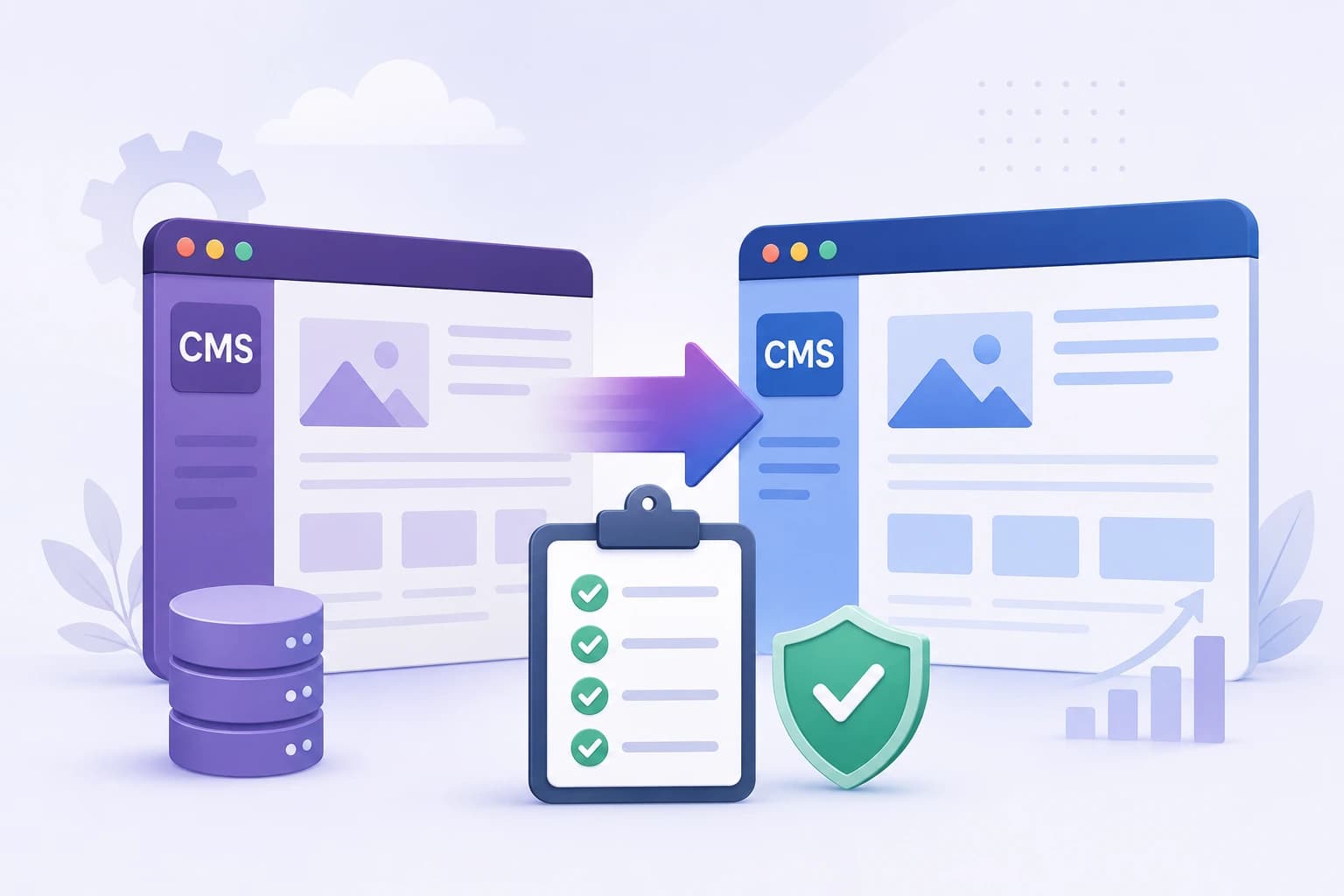
For a full walkthrough specific to one path, see our CMS migration checklist.
Migrations usually go wrong in the redirect mapping and the cutover, not the design. If you want a second set of eyes on your migration plan before you launch, I offer fixed-scope migration audits on Fiverr
When You Should NOT Move Off WordPress
Migrating isn’t automatically the right move, and a good SEO or development partner should tell you that plainly. Staying on WordPress usually still makes sense if:
- Your site is small and simple a brochure site or basic blog with a light plugin footprint.
- You’re already on solid managed hosting (WP Engine, Kinsta, or similar) that handles much of the performance and security burden for you.
- Your budget doesn’t yet support a full rebuild, and targeted fixes plugin cleanup, a caching layer, image optimization would close most of the performance gap.
- Your team is genuinely comfortable in WordPress, and switching would cost more in retraining than it would gain in performance.
In these cases, an audit and cleanup is usually the better investment than a full migration you get most of the performance and security benefit without the rebuild cost.
Learn About: Cost to Rebuild a Shopify Store in 2026
Frequently Asked Questions
Ans. Run your homepage and a key landing page through Google PageSpeed Insights. If your Largest Contentful Paint is above 2.5 seconds or your Core Web Vitals report shows “poor” on mobile, your site is slower than Google’s own performance benchmark and likely slower than visitors will tolerate.
Ans. Webflow isn’t inherently better for SEO, but it removes many of the technical issues that hurt WordPress sites plugin conflicts, bloated code, and inconsistent page speed. For fast, cleanly built sites, Webflow often outperforms plugin-heavy WordPress builds without extra optimization work.
Ans. A straightforward brochure site migration typically runs $2,000–$6,000 all-in, including redesign, content migration, and redirects. A large ecommerce or content-heavy migration can run into five figures, mainly driven by product data, integrations, and the size of the URL redirect map.
Ans. Not if the migration is done correctly. Ranking drops after a platform switch almost always trace back to missing 301 redirects, lost structured data, or a slower new site not the platform change itself. A properly mapped migration typically sees rankings stabilize within four to eight weeks.
Ans. Shopify is the most common move for growing ecommerce stores because hosting, security, and PCI compliance are built into the platform. If you need more design flexibility and lower transaction complexity, Webflow’s ecommerce tools or a headless commerce setup are worth evaluating too.
Final Verdict: Should You Move Off WordPress?
WordPress still powers over 40% of the web for good reason it’s flexible, well-documented, and cheap to start with. But “easy to start” and “cheap to run at scale” are different claims, and for a growing number of sites, the plugin-driven maintenance burden, security exposure, and performance ceiling eventually outweigh that early flexibility.
If you recognized two or three of the nine signs above, it’s worth getting a proper audit before committing to either a migration or another year of patching. That’s genuinely the fastest way to know whether you need a full platform change or just a cleanup.
Want a straight answer for your specific site?
I take on WordPress audits and migration projects through both freelance platforms below send over your URL and I’ll tell you honestly whether moving off WordPress is worth it for your situation, or whether a cleanup will do.