Your WordPress site is slowing you down, and you probably already know it. Plugin conflicts, security patches every other week, a mobile score that makes your stomach drop, and a content team stuck waiting on developers for changes that should take five minutes. The idea of a headless CMS sounds like the answer, but then the real question hits: what is this actually going to cost?
This guide breaks it down honestly. No vague estimates, no hidden upsells. Whether you are a business owner, a CTO, or a developer trying to make the case internally, you will walk away knowing exactly what to budget, where costs spike, and how to approach your migration from WordPress to headless CMS without blowing the project.
For Learn About: WordPress to React migration, Click Here!
Why Businesses Are Moving Away from WordPress in 2026
WordPress still powers roughly 42% of all websites as of early 2026, but its share of the CMS market has been quietly declining from 65.2% in early 2022 to around 60.7% by late 2025. Teams are not leaving out of trend-chasing. They are leaving because the platform has genuine, measurable limitations.
The 2025 HTTP Archive Web Almanac put WordPress at only a 45% mobile Core Web Vitals pass rate, last among major CMS platforms. That is not a cosmetic problem. Core Web Vitals directly influence your Google rankings and your bounce rates.
Beyond performance, security is a growing concern. According to the 2024 Patchstack report, nearly 6,000 new vulnerabilities were identified in WordPress that year, a 24% increase from 2023. Around 97% of those vulnerabilities trace back to plugins. If your site uses more than a handful of plugins (most do), you are running a real risk every week.
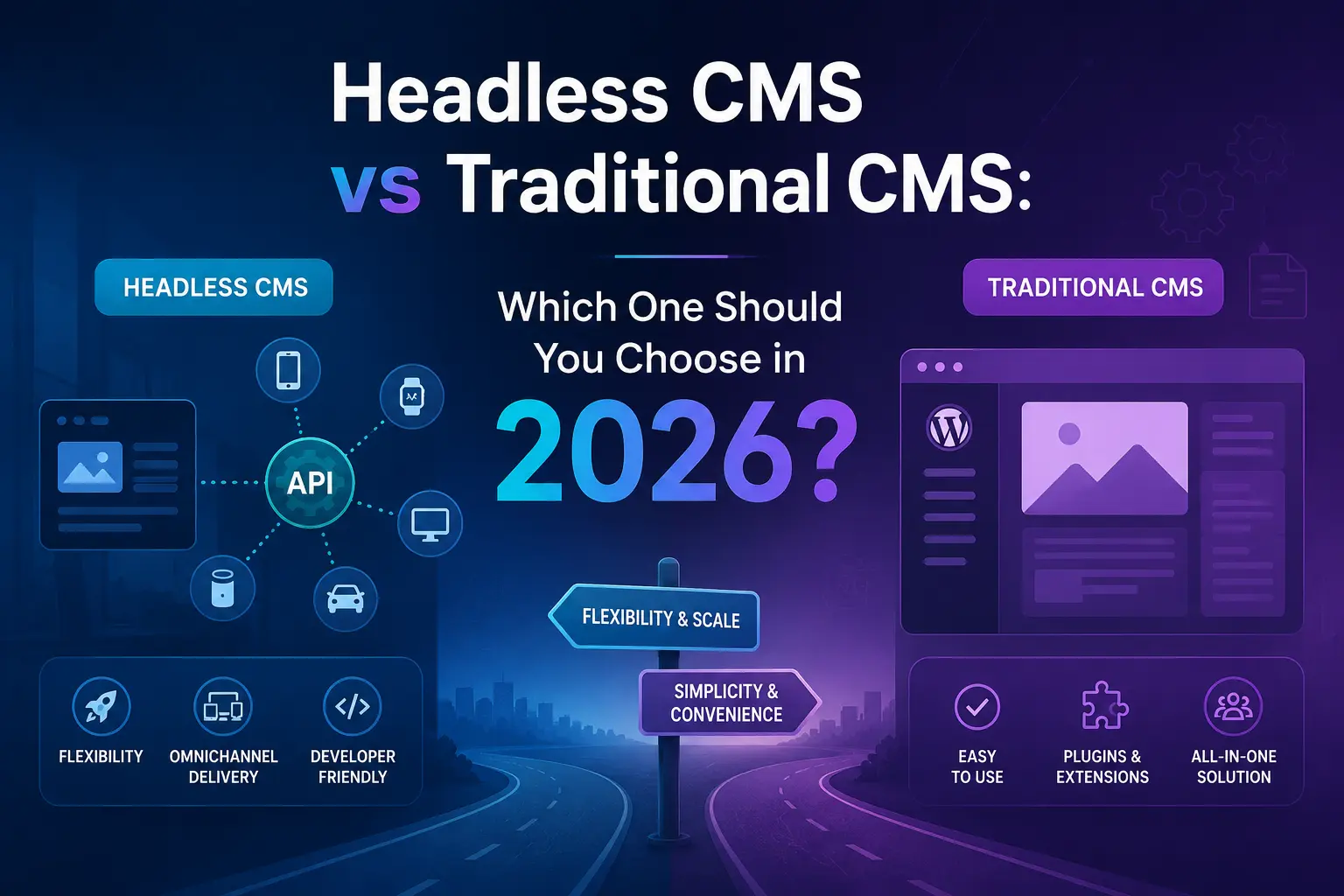
Headless architecture solves this by decoupling the frontend presentation layer from the backend content management system. Your content lives in the CMS, delivered via API to any frontend, a Next.js website, a mobile app, a digital kiosk, or even a voice assistant. The result is faster performance, a dramatically reduced attack surface, and a content infrastructure that scales across every channel your business might need.
For Learn About: Headless CMS vs WordPress: Best Choice for Business (2026) Click Here!
What Does “Headless CMS Migration” Actually Mean?
Before talking numbers, it helps to be clear on what you are actually paying for when you migrate from WordPress to a headless CMS.
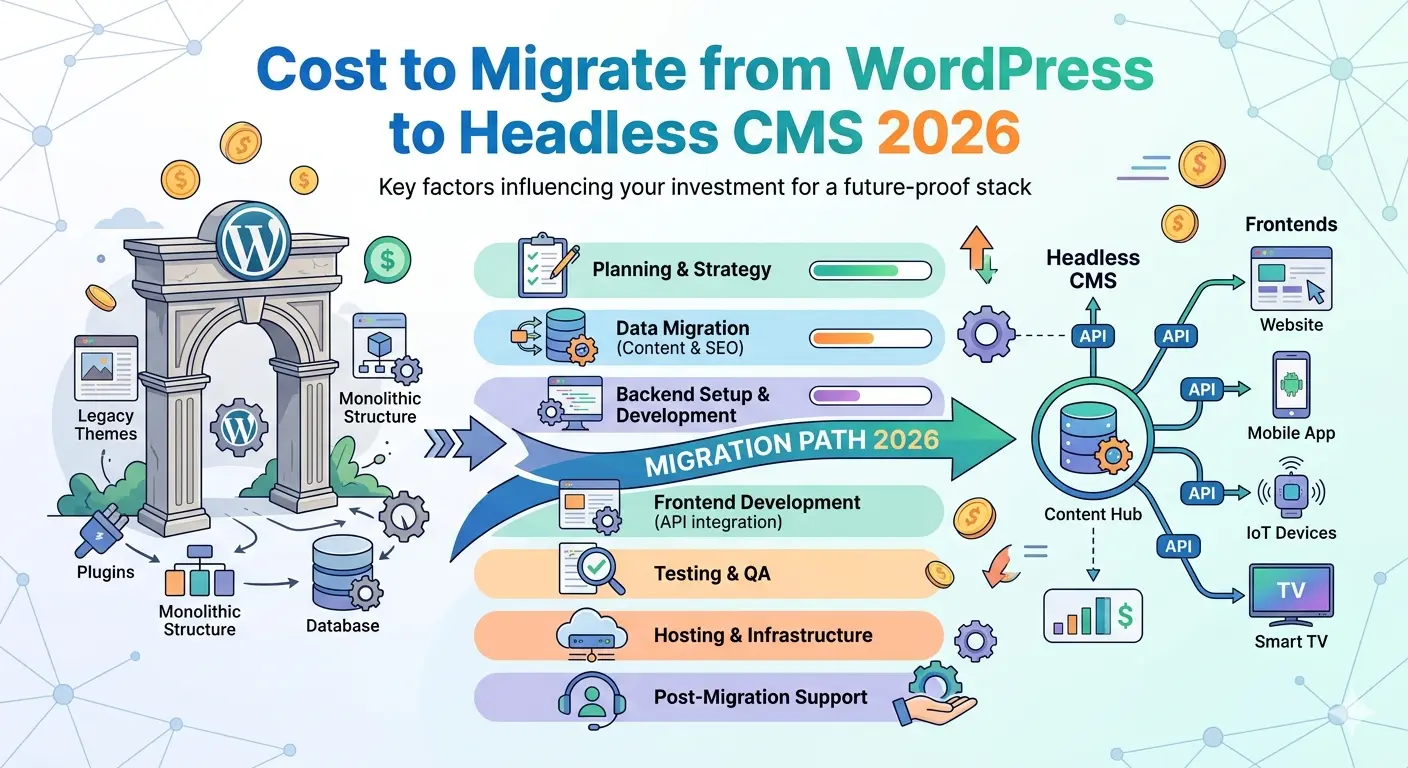
A traditional WordPress setup handles everything in one place — database, templates, plugins, media, and frontend rendering all live together. Going headless means splitting this apart. Your content management backend (where your editors write and publish) becomes completely separate from the frontend that visitors actually see. The two talk to each other through APIs.
This separation is powerful, but it introduces complexity. You are not just switching CMS platforms. You are rebuilding the architecture of your digital presence. That context matters a lot when you look at cost.
WordPress to Headless CMS Migration: Cost Breakdown by Project Tier
There is no single flat fee for a headless CMS migration. Costs depend on how large your site is, how complex your content model is, how many third-party integrations you rely on, and who you hire to do the work.
For Learn About: Choosing a CMS vs framework, Click Here!
Here is a realistic framework:
Tier 1 — Simple Blog or Brochure Site
Estimated Cost: $1,000 – $2500
This covers sites with standard posts and pages, minimal custom post types, and no e-commerce. The content volume is manageable, and the frontend build is relatively straightforward using a template-driven approach with a framework like Next.js. Most of the budget here goes toward developer hours for content export, CMS setup, and a custom frontend build.
Tier 2 — Mid-Size Business Site
Estimated Cost: $3000 – $7000
Once you introduce custom post types, advanced custom fields (ACF), multiple user roles, integrated forms, third-party CRMs, or a multilingual setup, the project complexity jumps significantly. Content modeling alone — the process of defining how your content types and relationships map to the new CMS — can take 30 to 60 hours on a project this size. Add frontend development, plugin replacement (more on that below), SEO validation, and content editor training, and the budget grows accordingly.
Tier 3 — Enterprise or E-Commerce Platform
Estimated Cost: $10,000 – $15,000+
Large-scale migrations involving product catalogs, complex permissions, custom checkout flows, multiple regional sites, or deep analytics integrations fall into this range. Integrating platforms like Shopify or BigCommerce into a headless stack adds 10–30% to development costs alone due to cart, checkout, and inventory API complexity.
What Drives the Cost Up: Key Cost Factors
1. Content Modeling Complexity
If your WordPress site has been running for years, chances are it has accumulated dozens of custom post types, shortcodes, and inconsistently structured content. Migrating that legacy data cleanly is one of the most underestimated phases of any headless migration. Shortcodes and page builder content (Elementor, Divi, etc.) are particularly painful — these tools store content interleaved with layout data, making automated extraction unreliable. Expect significant manual cleanup.
2. Plugin Replacement
Every plugin that handles real functionality — contact forms, search, SEO metadata, redirects, pricing tables, membership gating — needs an equivalent solution built into the new stack. This is often the single biggest surprise cost for teams planning their migration from WordPress to headless CMS. There is no plugin ecosystem on the headless side; each integration is a custom build or a SaaS subscription.
3. Frontend Development
Unlike WordPress themes, headless frontends require custom development. Building a mid-complexity site with Next.js or Gatsby typically requires 100–200 developer hours, translating to $8,000–$20,000 in frontend work alone, depending on developer rates. Offshore teams (Eastern Europe, South Asia, Latin America) can cut this significantly while maintaining quality.
4. Headless CMS Platform Licensing
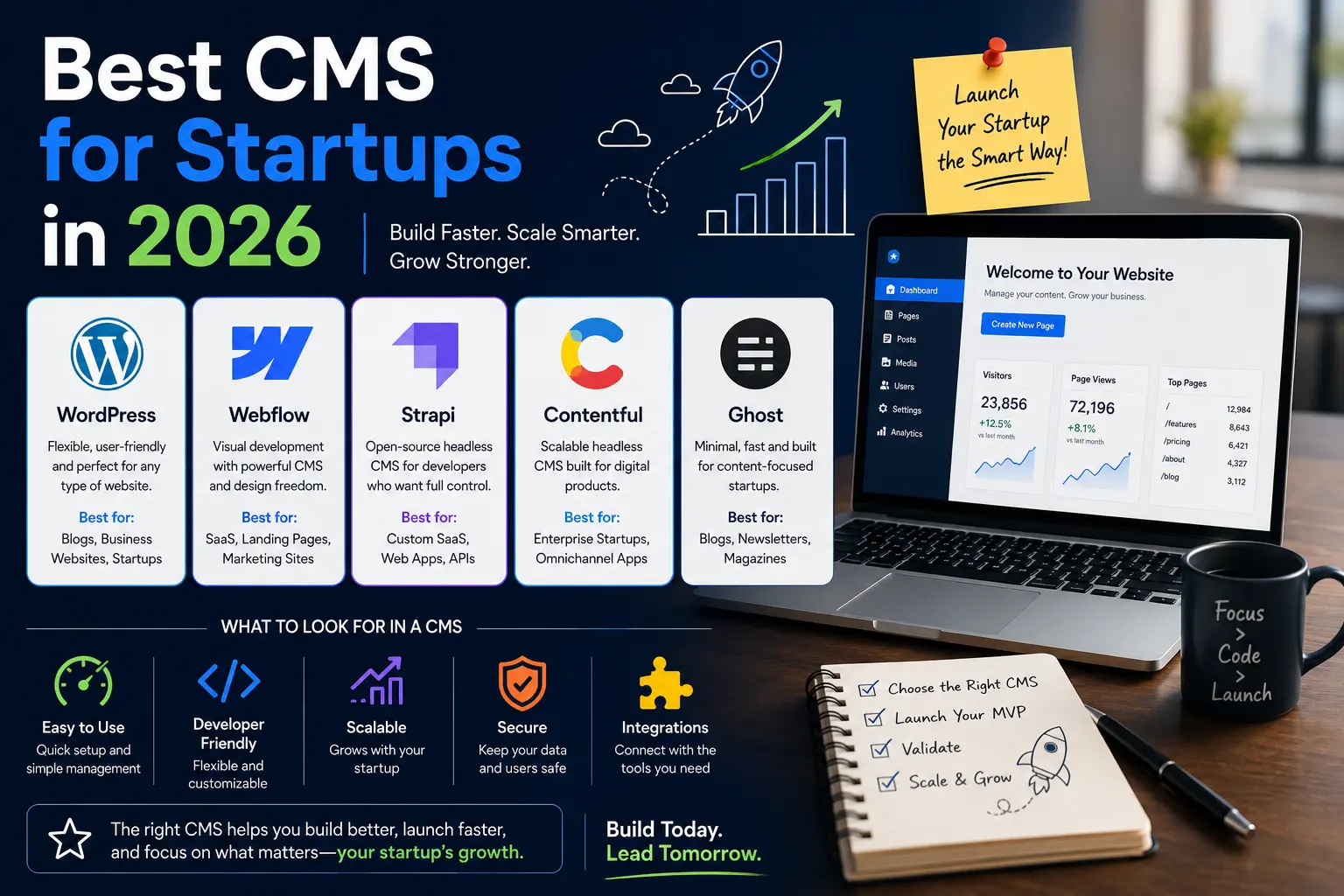
This is a recurring cost many forget to factor in. SaaS-based headless CMS platforms like Contentful, Sanity, and Hygraph all operate on subscription models:
- Sanity: Pay-as-you-go, averaging $99–$499/month for mid-sized sites
- Contentful: Plans starting around $300/month for growing teams
- Strapi (open source): Free self-hosted, but hosting and maintenance add costs
- Builder.io: Starts at $49/month, with business plans from $149/month
Open-source options like Strapi reduce licensing fees but require your team to manage hosting, updates, and security independently.
5. Hosting Infrastructure
Headless sites typically deploy on platforms like Vercel, Netlify, or AWS Amplify. Vercel’s Pro plan starts at $20/month; Netlify Pro at $19/month. For high-traffic sites, CDN costs, serverless function invocations, and database usage can push hosting to $200–$1,000+/month.
6. Content Migration Labor
Moving the actual content — posts, pages, media files, metadata — is not free. Depending on data complexity, this phase costs $2,000–$10,000 for most projects. The more disorganized your existing WordPress database, the more time (and money) this takes.
7. Training and Handoff
Your content editors have to learn a new interface. Budget 10–20 hours for onboarding and documentation. This is often skipped in early estimates and becomes a friction point post-launch.
8. Ongoing Maintenance
Annual maintenance fees for headless CMS systems typically run 15–25% of the initial build cost. A project that costs $20,000 to build might carry $3,000–$5,000/year in ongoing maintenance expenses.
Hidden Costs in Headless Migrations Most Teams Miss
Rushing the content cleanse phase is the most expensive mistake teams make. A decade of inconsistent HTML, broken shortcodes, and duplicate media does not magically clean itself up during migration. Treating the migration as a fresh start for your data — not just a platform switch — saves expensive rework later.
The other hidden cost is SEO risk. Every URL structure change, metadata field, and redirect must be mapped with precision. Running old and new systems in parallel during a testing phase adds project time, but it protects against the ranking drops that come from a careless launch.
For Learn About: Monolithic vs headless architecture, Click Here!
Best Practices for Migrating to Headless Architecture
Following a few core principles keeps projects on time and on budget:
Audit before you model. Catalog every content type, custom field, taxonomy, and piece of media before writing a single line of code. This audit reveals scope and prevents surprises mid-project.
Design redirects early. URL mapping is not a post-launch task. Build your redirect map before the frontend goes live. A missed redirect on a high-traffic page can cost rankings that took years to build.
Phase the migration when possible. For larger sites, a phased approach — migrating sections progressively rather than all at once — reduces risk and spreads cost over time.
Choose your CMS for your team, not just your developers. A technically impressive CMS that your content editors cannot use confidently will create ongoing friction. Evaluate the editorial interface just as seriously as the API capabilities.
Test Core Web Vitals before launch. The entire point of migrating to headless architecture is better performance. Validate your CWV scores, mobile responsiveness, and page load times against your existing WordPress baseline before flipping the switch.
For Learn About: How to plan a website rebuild, Click Here!
ROI: What You Get on the Other Side
The upfront cost of a headless migration is real. But so is the cost of staying on a platform that is holding you back. Every month on a slow, plugin-heavy WordPress site, you are absorbing the cost of lower conversion rates from high latency, higher bounce rates on mobile, ongoing security mitigation, and limited ability to integrate with modern tooling and AI-driven personalization.
Teams that migrate to headless architecture report significant improvements in page performance, a reduced attack surface from isolating the CMS behind API endpoints, and a content infrastructure that can serve websites, mobile apps, and emerging channels — all from a single source of truth.
Frequently Asked Questions
Start with a full content audit — catalog every post type, taxonomy, custom field, and media asset. Choose a headless CMS that matches your team’s editorial workflow and your developers’ preferred stack. Map your content model, export WordPress data via REST API or XML, re-import into the new CMS, build a decoupled frontend (Next.js is the most popular choice), set up 301 redirects for every changed URL, and run full SEO and performance testing before going live.
The key is comprehensive redirect mapping and metadata preservation. Every URL that changes needs a 301 redirect in place before launch. All existing meta titles, descriptions, canonical tags, and structured data must be carried forward into the new frontend. Running both systems in parallel during a testing period allows you to validate everything before cutting over traffic.
For simple sites, expect $1000–$2500. Mid-size business sites typically run $3000–$7000. Enterprise or complex e-commerce migrations range from $10,000–$15,000+. Add ongoing CMS licensing ($99–$500/month), hosting ($20–$1,000+/month), and annual maintenance (15–25% of initial build cost) to your long-term budget.
A simple site can take 2–4 weeks. A mid-size business site typically requires 6–12 weeks. Large enterprise projects with multiple integrations can take 3–6 months. Content modeling and frontend development are usually the longest phases.
The most frequently cited challenges are plugin replacement (no equivalent ecosystem on the headless side), content modeling complexity for legacy sites, SEO risk during the URL transition, editor resistance to learning new interfaces, and the initial cost spike of building a custom frontend from scratch.
Ready to Start Your Migration?
Planning a stress-free move from WordPress to a headless CMS? I handle everything—from content audit to go-live—so you don’t have to manage developers.
Start with a free discovery call and get a clear scope, timeline, and budget.