Introduction
Choosing the right CMS architecture is no longer just a developer decision — it directly impacts SEO performance, page speed, scalability, and conversion rates. Businesses today must decide between Headless CMS vs Monolithic CMS, and the wrong choice can limit growth, slow content workflows, and reduce search visibility.
If you’re planning a SaaS website, enterprise platform, or content-driven business, understanding the difference between headless vs traditional CMS is critical. This guide explains both architectures, compares them across SEO, performance, scalability, cost, and developer experience, and helps you decide which CMS is best for your use case in 2026.
You’ll learn:
- What a headless CMS is (with real examples)
- What a monolithic CMS is and how it works
- SEO impact of each architecture
- When to choose headless CMS
- When monolithic CMS is the better option
- Cost, performance, and scalability comparison
- Real-world use cases
- FAQs based on People Also Ask
- Cost, performance, and scalability comparison
To learn about CMS vs framework architecture, Click Here!
What Is a Headless CMS?
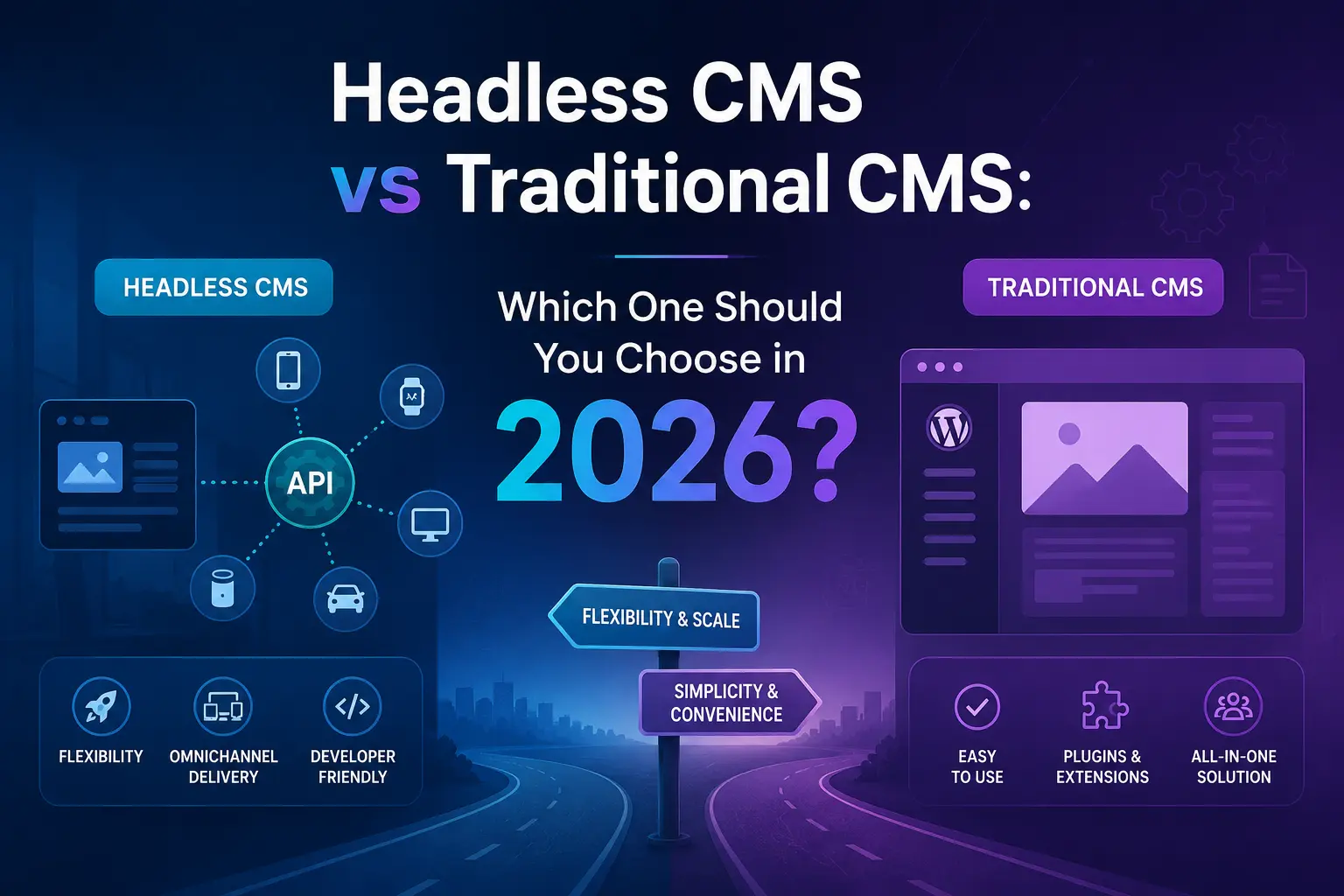
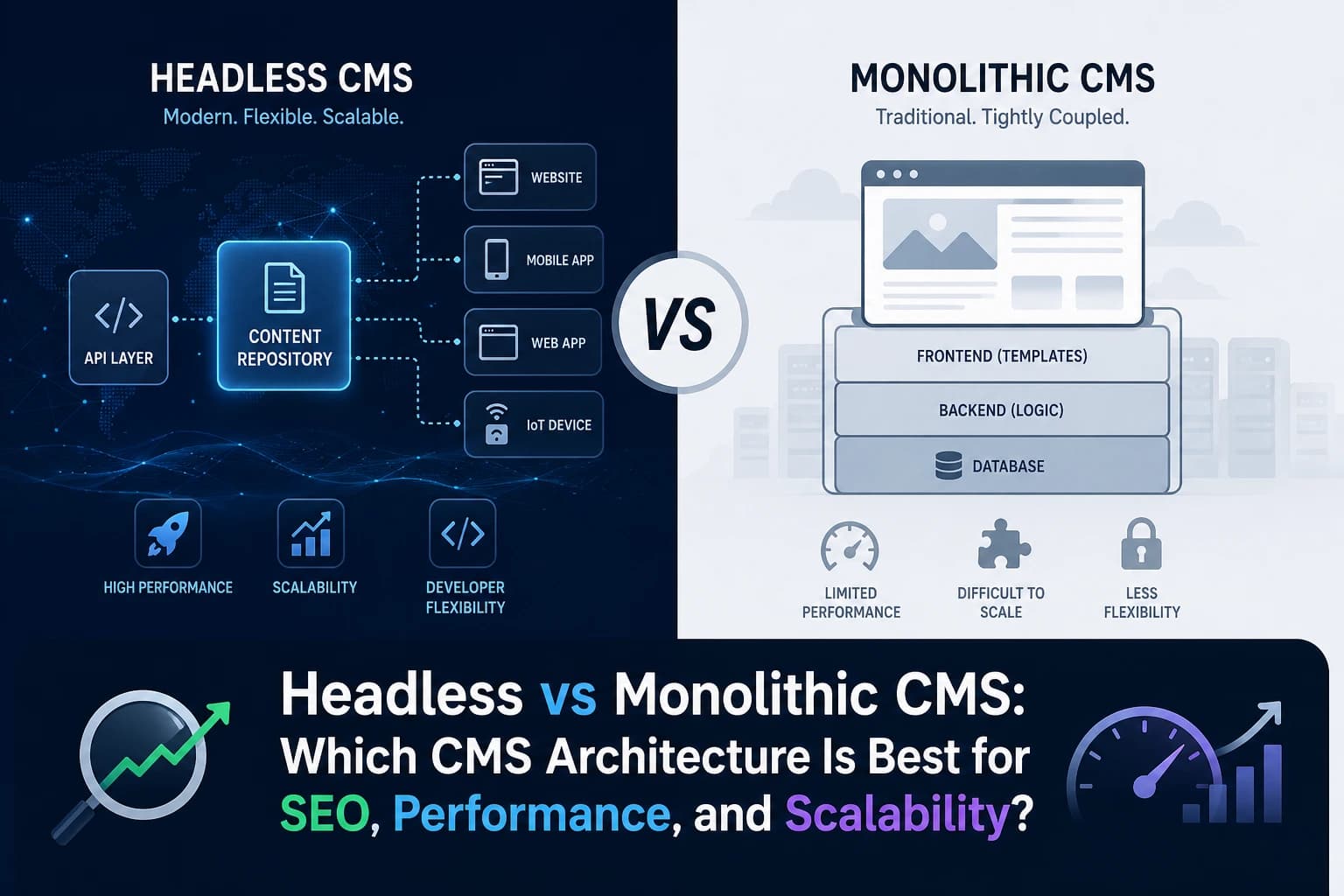
A Headless CMS separates the backend content management system from the frontend presentation layer. Content is delivered via APIs and can be displayed across multiple platforms including websites, apps, dashboards, and IoT devices.
Instead of tightly coupling content and design, headless CMS allows developers to build the frontend using frameworks like React, Next.js, Vue, or Angular while editors manage content independently
How Headless CMS Works
- Content stored in backend
- Delivered via REST or GraphQL API
- Frontend built separately
- Content reused across platforms
- Developers control UI completely
Headless CMS Examples
- Contentful
- Strapi
- Sanity
- Storyblok
- Hygraph
Headless CMS Architecture (Simplified)
Backend (CMS) → API → Frontend (React / Next.js / App)
This decoupled structure improves performance, flexibility, and scalability.
What Is a Monolithic CMS?
A Monolithic CMS combines backend content management, frontend presentation, templates, and database in a single system. Everything is tightly connected, making it easier to manage but less flexible. Traditional CMS platforms like WordPress, Drupal, and Joomla follow this architecture
How Monolithic CMS Works
- Content + frontend together
- Theme-based design
- Plugins extend features
- Limited frontend flexibility
- Easier for non-developers
Monolithic CMS Examples
- WordPress
- Drupal
- Joomla
- Drupal
- Magento (traditional)
For Learn About: React frontend architecture, Click Here!
Headless vs Monolithic CMS: Key Differences
| Feature | Headless CMS | Monolithic CMS |
|---|---|---|
| Architecture | Decoupled | Coupled |
| Frontend | Custom | Theme-based |
| Performance | Very fast | Moderate |
| SEO Control | High | Medium |
| Scalability | Excellent | Limited |
| Developer Flexibility | Full | Limited |
| Content Reuse | Multi-platform | Single platform |
| Setup Complexity | High | Low |
| Cost | Higher initially | Lower |
| Best For | SaaS, enterprise | blogs, small sites |
Headless CMS vs Monolithic CMS for SEO
SEO performance depends heavily on speed, Core Web Vitals, structured data, and scalability. This is where headless CMS SEO advantages become important.
Headless CMS SEO Benefits
- Faster page load speeds
- Better Core Web Vitals
- Full control over technical SEO
- Static site generation support
- Improved mobile performance
- Better structured data implementation
- Edge caching and CDN optimization
Headless CMS works extremely well with frameworks like Next.js that enable:
- SSR (Server Side Rendering)
- SSG (Static Site Generation)
- ISR (Incremental Static Regeneration)
These directly improve Google ranking signals.
Monolithic CMS SEO Limitations
Monolithic CMS platforms rely on themes and plugins, which often introduce:
- Unnecessary scripts
- Slower load times
- Plugin conflicts
- Limited schema control
- Difficult scaling
Monolithic CMS can still perform well with proper optimization.
Performance Comparison
| Metric | Headless CMS | Monolithic CMS |
|---|---|---|
| Page Speed | Very Fast | Medium |
| Core Web Vitals | Excellent | Moderate |
| Server Load | Low | High |
| CDN Support | Built-in | Limited |
| Scalability | High | Medium |
Headless CMS allows static rendering, which drastically improves performance and reduces server dependency.
When to Choose Headless CMS
Choose headless CMS if you:
- Are building SaaS product
- Need multi-platform content delivery
- Want best SEO performance
- Use React or Next.js
- Require high scalability
- Need custom UI/UX
- Expect high traffic growth
Real Example
A SaaS company using headless CMS with Next.js improved:
- Page speed by 65%
- Organic traffic by 40%
- Conversion rate by 22%
CTA — Need Help Choosing the Right CMS?
If you’re building a SaaS product or high-performance website and unsure whether to choose headless or monolithic CMS, I can help you select the best architecture.
I’ll analyze your project and recommend the best CMS for SEO, speed, and scalability.
When to Choose Monolithic CMS
Monolithic CMS is better when:
- You need quick launch
- Budget is limited
- Non-technical team
- Blog or small business site
- No multi-platform requirement
- Minimal development needed
Real Example
A small business blog using WordPress launched in 2 days and ranked for long-tail keywords without needing complex development.
Cost Comparison
| Cost Factor | Headless CMS | Monolithic CMS |
|---|---|---|
| Development | High | Low |
| Maintenance | Medium | Low |
| Hosting | Medium | Low |
| Scaling | Efficient | Expensive |
| Long Term | Cheaper | Costly |
Developer Experience Comparison
Headless CMS
- Full frontend freedom
- Modern frameworks
- API-first architecture
- Better performance tuning
Monolithic CMS
- Plugin-based
- Theme limitations
- Slower development for custom features
Headless CMS Use Cases
Best for:
- SaaS websites
- Enterprise platforms
- Ecommerce at scale
- Mobile + web apps
- Multi-language websites
- High traffic blogs
Monolithic CMS Use Cases
Best for:
- Small business websites
- Simple blogs
- Portfolio sites
- Landing pages
- Local businesses
Headless vs Monolithic CMS: Final Decision Guide
Choose Headless CMS if:
- You care about performance
- SEO is priority
- You expect growth
- Need flexibility
Choose Monolithic CMS if:
- You want simplicity
- Limited budget
- Small project
- Fast launch required
FAQ — Headless vs Monolithic CMS
Yes. Headless CMS improves page speed, Core Web Vitals, and technical SEO control. When combined with Next.js or static generation, it often performs better in search rankings.
WordPress is traditionally monolithic but can be used as a headless CMS using REST API or GraphQL
Headless CMS is worth it for SaaS, enterprise, and high-growth websites. For small websites, monolithic CMS is usually sufficient.
Headless CMS is best for SaaS platforms because it offers scalability, performance, and multi-platform delivery.
Headless CMS separates frontend and backend, while monolithic CMS combines everything into one system.
Still unsure which CMS architecture is right for your project?
I help SaaS founders and businesses choose the best CMS for SEO, performance, and scalability.
I’ll review your project and recommend the best CMS architecture.
Conclusion
The choice between Headless vs Monolithic CMS depends on your business goals, budget, and technical requirements. Headless CMS offers better performance, scalability, and SEO advantages, while monolithic CMS provides simplicity and faster deployment.
If you’re building a scalable SaaS or content-driven platform, headless CMS is usually the better long-term investment. For small websites and quick launches, monolithic CMS remains a practical option.
Evaluate your needs, future growth, and SEO priorities before making a decision. The right CMS architecture can significantly impact your rankings, user experience, and conversions.
For Learn About: Headless CMS vs WordPress & Headless ecommerce stack, Click Here!