Most website rebuilds don't fail because of bad design. They fail because of bad planning. Missed redirects wipe out years of SEO. An API migration breaks payments. A compliance gap exposes user data. The damage can take months or years to undo.
If you’re thinking about a website rebuild, this guide gives you the exact framework I use with SaaS and fintech clients. No fluff, no generic checklists, just practical steps that protect your traffic, your integrations, and your bottom line.
For Learn About: Rebuild Website with React
Quick Definition
What is a website redesign plan? A website redesign plan is a structured document that outlines your goals, technical requirements, content strategy, migration steps, and timeline before a single line of code is written. It aligns stakeholders, protects existing SEO, and reduces the risk of costly mistakes during development.
Why Most Website Rebuilds Go Wrong
In my experience working with SaaS founders and fintech startups, the number one cause of a failed rebuild is starting with design instead of strategy. Someone sees a competitor’s site, sends a screenshot to a freelancer, and says “build me this.” Three months later, organic traffic is down 60% because no one mapped the old URLs.
Here’s what typically goes wrong:
- No URL redirect mapping → Google drops your pages from the index
- API integrations rebuilt from scratch → payment flows break on launch day
- No performance baseline → the new site is slower than the old one
- Missing GDPR/compliance review → legal exposure on a regulated product
- No content audit → duplicate pages and orphaned content hurt rankings
For Learn About: ecommerce rebuild strategy, Click Here!
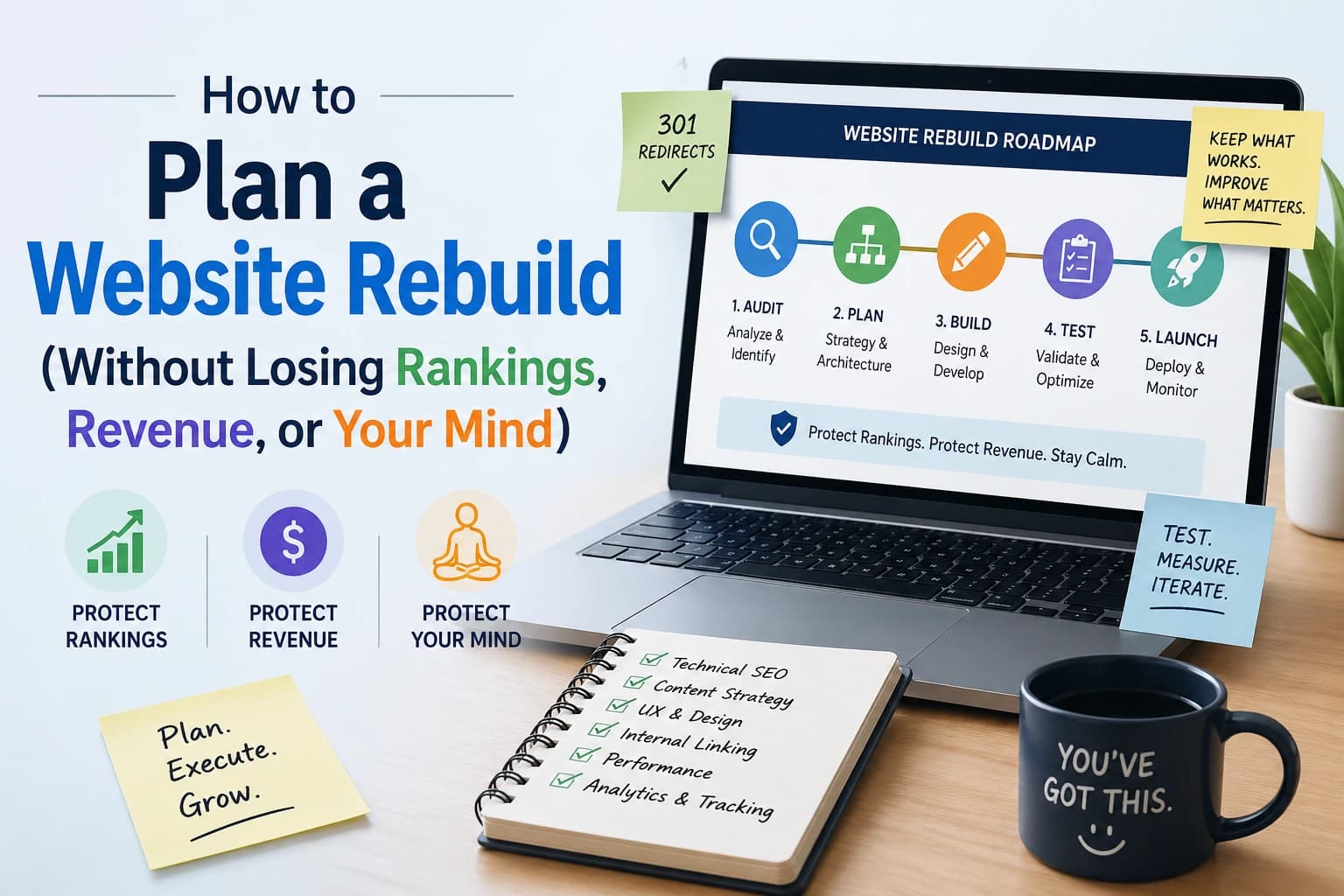
Step-by-Step Website Redesign Planning Guide
01: Define Goals and Success Metrics
Before anything else, answer: why are you rebuilding? Common reasons include improving conversion rate, rebranding, migrating to a new stack, or improving Core Web Vitals. Write down 3–5 measurable goals — not “look better,” but “increase demo signups by 25%” or “reduce page load to under 2s.”
02: Audit Your Existing Site
Run a full content audit using Screaming Frog or Sitebulb. Export every URL, its traffic (from Google Search Console), and its backlink count (from Ahrefs or SEMrush). These are your most valuable pages — they must be protected or carefully redirected.
03: Map Your Current Architecture and APIs
Document every third-party integration: payment gateways (Stripe, PayPal), CRM connectors, auth providers (Auth0, Clerk), analytics tools, and any custom APIs. For SaaS and fintech products especially, this step is non-negotiable — a missed API dependency can take down core functionality on launch day.
04: Choose Your New Stack Carefully
Stack decisions drive everything downstream — hosting costs, developer availability, scalability, and security. For SaaS, Next.js + Vercel or Remix + Cloudflare are strong choices. For fintech, you may need SOC 2-compatible infrastructure. Avoid choosing a stack just because it’s trending — choose it because it fits your compliance and scale requirements.
05: Create a URL Redirect Map
This is the most SEO-critical step. Every URL that changes must have a 301 redirect to its new equivalent. Use a spreadsheet: old URL | new URL | redirect type. Prioritize pages with high traffic or inbound backlinks. Implement and test redirects before the site goes live — not after.
06: Run a Compliance and Security Review
For any product handling user data or payments: review GDPR/CCPA compliance, cookie consent mechanisms, SSL/TLS configuration, and data storage policies. If you’re in fintech, also check PCI DSS requirements for your payment flow. Engage a compliance consultant if needed — the cost is always less than a breach or fine.
07: Build a Realistic Timeline and Budget
Most rebuilds take 2–4x longer than clients expect. Add buffer for stakeholder reviews, QA, and API integration testing. Define phases: Discovery → Design → Development → QA → Staged Launch → Monitoring. A phased launch (soft launch to 10% of traffic first) is always safer than a big-bang cutover.
08: Set Up Monitoring Before You Go Live
Before flipping the switch, deploy Google Search Console, Sentry for error tracking, and a synthetic monitoring tool like Checkly. Set alerts for 404 spikes, ranking drops, and Core Web Vitals regressions. Catching a problem 24 hours after launch is vastly better than catching it two weeks later.
For Learn About: WordPress vs headless CMS, Click Here!
"The most expensive website rebuilds I've seen weren't expensive because of development costs. They were expensive because of emergency recovery work after launch — fixing broken APIs, restoring lost rankings, and patching compliance gaps that weren't caught in planning."
Developer Insight, 15+ Years in SaaS & Fintech
Understanding Costs: What a Website Rebuild Actually Costs
Cost depends heavily on complexity, integrations, and compliance requirements. Here’s a realistic breakdown based on projects I’ve worked on:
| Project Type | Typical Range | Key Cost Drivers |
|---|---|---|
| Brochure / Marketing Site | $3,000 – $12,000 | CMS, SEO migration, design |
| SaaS Marketing + App UI | $12,000 – $45,000 | Auth, API integrations, performance |
| Fintech / Regulated Product | $30,000 – $120,000+ | Compliance, security audits, payment flow |
| Enterprise Rebuild | $80,000+ | Custom infrastructure, multi-team coordination |
These are starting points, not ceilings. The biggest hidden costs are always: scope creep, API rework, and post-launch SEO recovery from poor planning.
Common Mistakes to Avoid When Planning a Website Redesign
❌ Skipping the content audit
You'll lose pages that have been ranking for years — pages you didn't even know were driving traffic.
❌ Rebuilding APIs from scratch
Unless there's a strong technical reason, keep working integrations intact during the rebuild. Rewrite them in a separate sprint post-launch.
❌ Launching without a staging environment
Always test on a staging server that mirrors production. Catching issues in staging costs nothing. Catching them live costs everything.
❌ Treating mobile as an afterthought
Google indexes mobile-first. If your redesign prioritizes desktop and retrofits mobile, your rankings will reflect it.
❌ No post-launch monitoring window
Plan for a 4–6 week intensive monitoring period after launch. Assign someone to watch rankings, errors, and conversion metrics daily.
Frequently Asked Questions
A proper discovery and planning phase typically takes 2–4 weeks for a mid-sized SaaS site, and 4–8 weeks for a complex fintech product. Rushing this phase is the single biggest predictor of a troubled build. A well-documented plan saves far more time than it costs.
It can — but only if it’s poorly planned. A rebuild with a complete redirect map, preserved on-page SEO signals, and a properly submitted sitemap should maintain or improve rankings. In my experience, well-planned rebuilds on faster, more modern stacks often see ranking improvements within 60–90 days.
It depends on your team’s technical capacity and content volume. Headless CMS (Contentful, Sanity, Prismic) gives you more flexibility and performance control — great for SaaS. Traditional CMS (WordPress, Webflow) is faster to build and easier for non-technical editors. For most early-stage startups, a hybrid approach works well.
Document every integration that touches user data or revenue: authentication (Auth0, Clerk, Firebase), payments (Stripe, Braintree), CRM (HubSpot, Salesforce), analytics (Segment, Mixpanel), email (SendGrid, Postmark), and any internal APIs your app depends on. Missing one can cause a serious incident on launch day.
Look for someone with demonstrated experience in your specific domain — SaaS, fintech, or e-commerce. Ask to see examples of SEO migrations they’ve managed. Check that they ask about your compliance requirements upfront. A good developer will ask more questions than they answer in the first call — that’s a sign they understand the risks involved.
Final Thoughts: Plan First, Build Second
A website rebuild is one of the highest-leverage investments you can make in your business — when it’s done right. It can dramatically improve conversion rates, site speed, developer experience, and SEO performance. Done wrong, it can set your growth back by a year.
The difference almost always comes down to planning. Specifically: how well you understood what you had before you started changing it.
Take the time to audit your content, map your APIs, document your compliance requirements, and build a real redirect strategy. If you don’t have the in-house expertise to do all of that, that’s exactly what a good freelance developer or agency should provide before writing a single line of code.
For Learn About: CMS or framework & Migrating from Wix, Click Here!